
Why caseload systems fall apart by October
Most back-to-school caseload systems fail for the same reason: they are really four or five separate systems pretending to be one. Compliance dates live in a district calendar or a sticky note. Service minutes live in a spreadsheet. The SDI schedule lives in a printed grid taped to the desk. Session notes live in a notebook — or in your head. And the IEPs themselves live in the district system, which nobody opens unless a meeting is coming.
When September gets busy, each of those places needs its own maintenance habit, and the habits are the first thing to go. You skip logging for a week because progress reports are due. The schedule changes but the printed grid doesn't. A re-evaluation deadline surfaces only when the school psychologist emails asking why testing hasn't started.
The fix is not more discipline. It is setting up the year in an order where each layer feeds the next, in one place — so maintaining the system is one habit, not five. The order matters: dates before minutes, minutes before schedule, schedule before logging. Here is each step.
Step 1: Calendar every annual review and re-eval date
Before you touch a schedule or a spreadsheet, pull every IEP on your caseload and record two dates for each student:
- The annual review date — the IEP must be reviewed and revised at least once every 12 months, so the deadline is 12 months from the last annual review, not from the start of school.
- The re-evaluation (triennial) due date — eligibility must be re-established at least every three years, and testing takes weeks, so the working deadline is well before the date on paper.
Then look at the fall. Any student whose annual review or re-eval lands before winter break should be flagged now, because those meetings need scheduling, evaluations need consent, and October has a way of arriving fast. Add progress report dates for each grading period while you are at it — they are the other deadline that sneaks up.
This step comes first because everything else can be rebuilt mid-year; a missed compliance deadline cannot. If a state monitor looks at your caseload, the first question is whether every IEP and evaluation is current.
Step 2: Build the service-minute table
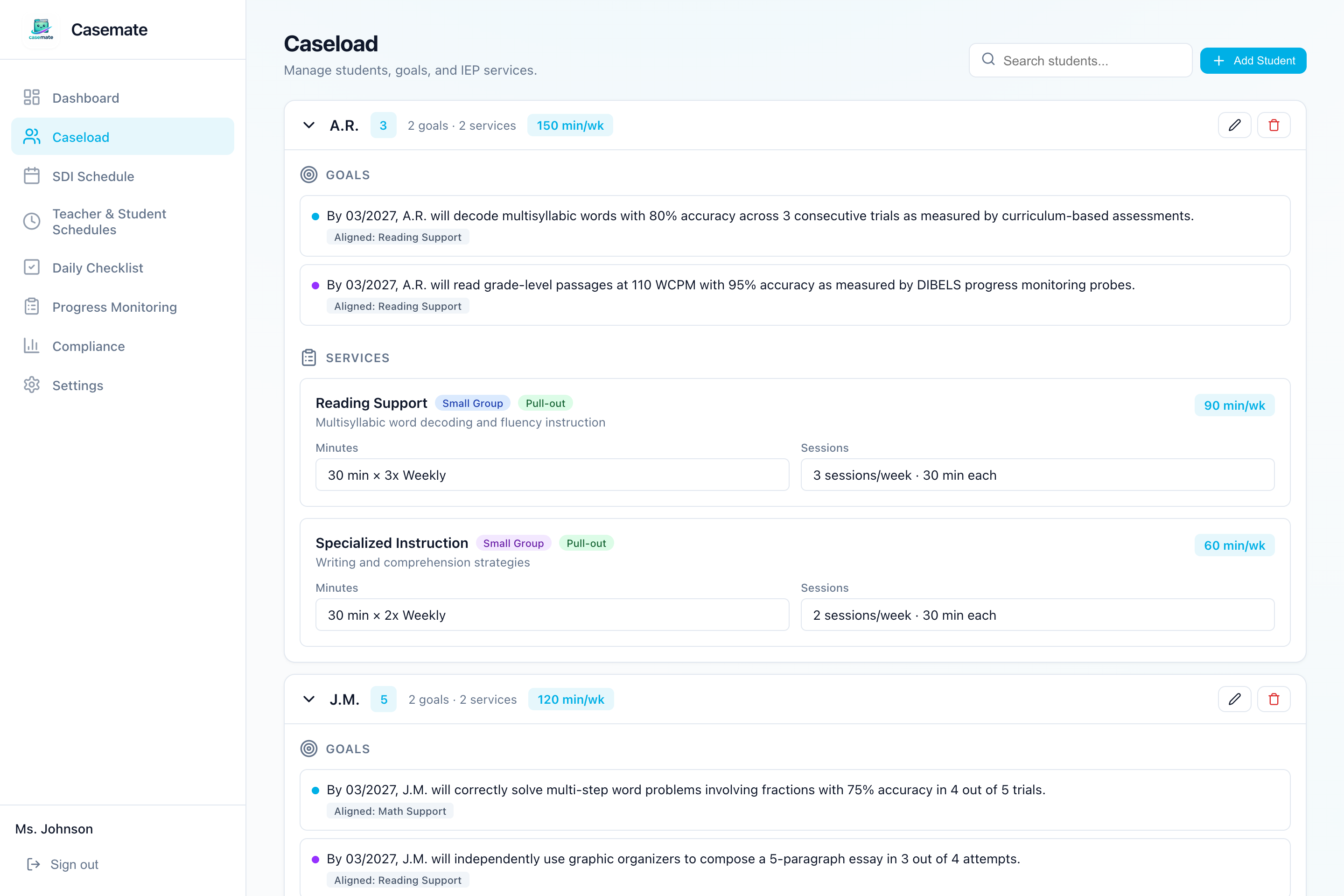
Next, turn the service grid of each IEP into a single table you will defend all year. For every student, for every service, record:
- The service type (specialized reading, math, written expression, speech-language, OT, counseling, social skills).
- The minutes, converted to a weekly target — a 1,200-minute-per-year service is roughly 30 minutes per week across a 40-week year, and converting everything to weekly gives you one reference point.
- The setting (push-in, pull-out, separate classroom) and the provider (you, a co-teacher, a related service provider).
- Consultation minutes, listed separately — they are a different bucket from direct service and get audited separately.
Flag any service delivered by someone else (SLP, OT, PT) so you know which minutes you are responsible for delivering versus coordinating. This table is the ground truth the next two steps are built on — the schedule has to deliver these minutes, and the session log has to prove they were delivered.
Step 3: Build the SDI schedule from the minutes
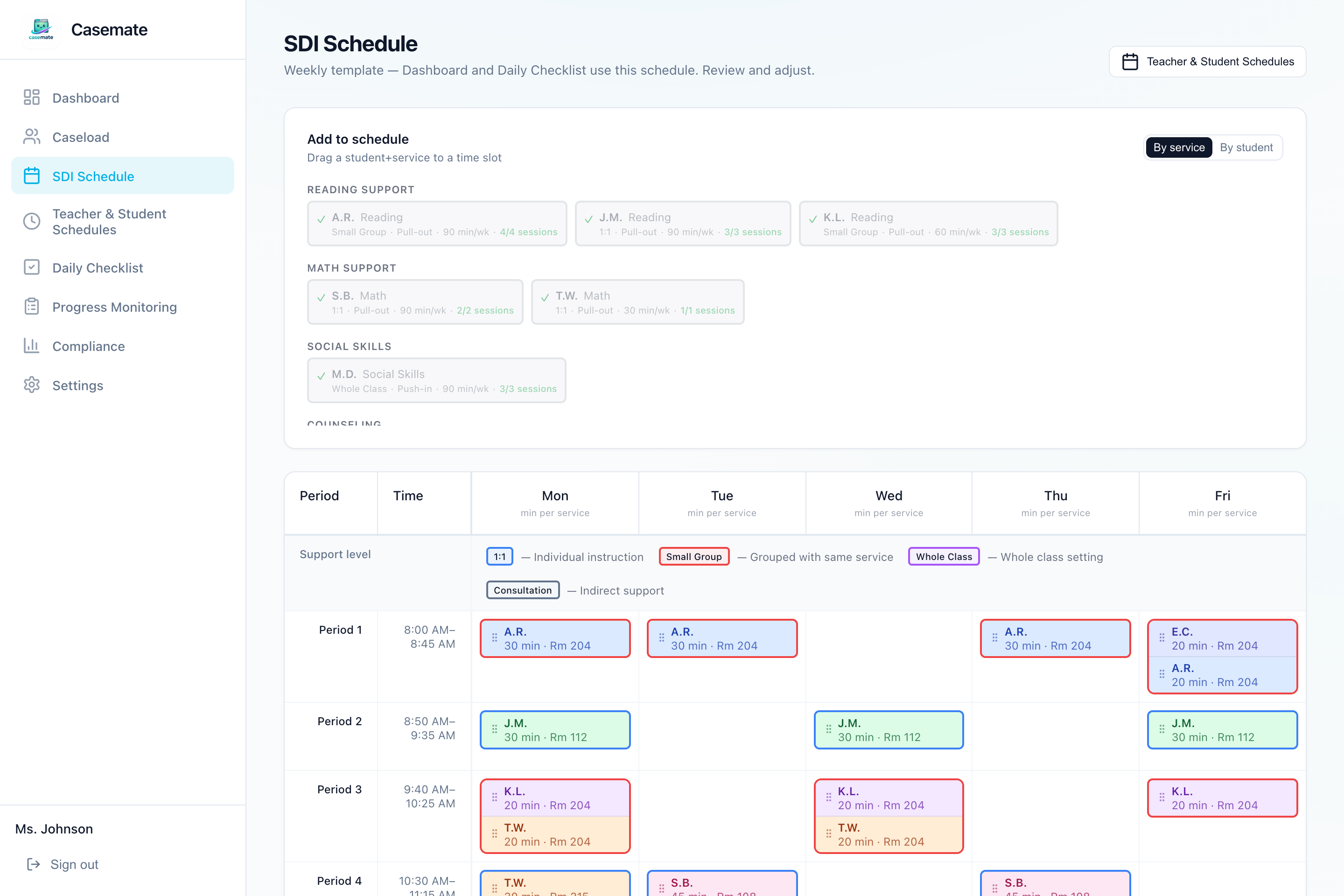
With the minute targets set, the schedule stops being a blank-page puzzle and becomes a placement problem: fit each student's required minutes into the overlap between your availability and theirs.
- Map the bell schedule — periods, times, and any days that run differently.
- Mark your real availability, at the level of which chunk of which period, not just "Period 3."
- Enter each student's class schedule, and avoid pulling students from the core instruction their service addresses.
- Group students with the same service type and support level where their free periods overlap.
- Resolve hard conflicts — double-bookings and minute shortfalls — before the first day. Soft conflicts can wait; those two cannot.
Expect the schedule to change in week one when class lists settle. That is normal. The discipline that matters is updating the schedule itself when things change, not working around it from memory. For the full walkthrough, see the conflict-free SDI schedule guide.
Step 4: Set a session log habit you can actually keep
The first three steps happen once in August. This one is the habit that keeps the system alive, so design it for your worst week, not your best:
- Pick the one place sessions get logged — the same place the dates, minutes, and schedule live. A separate logging notebook recreates the five-places problem on day one.
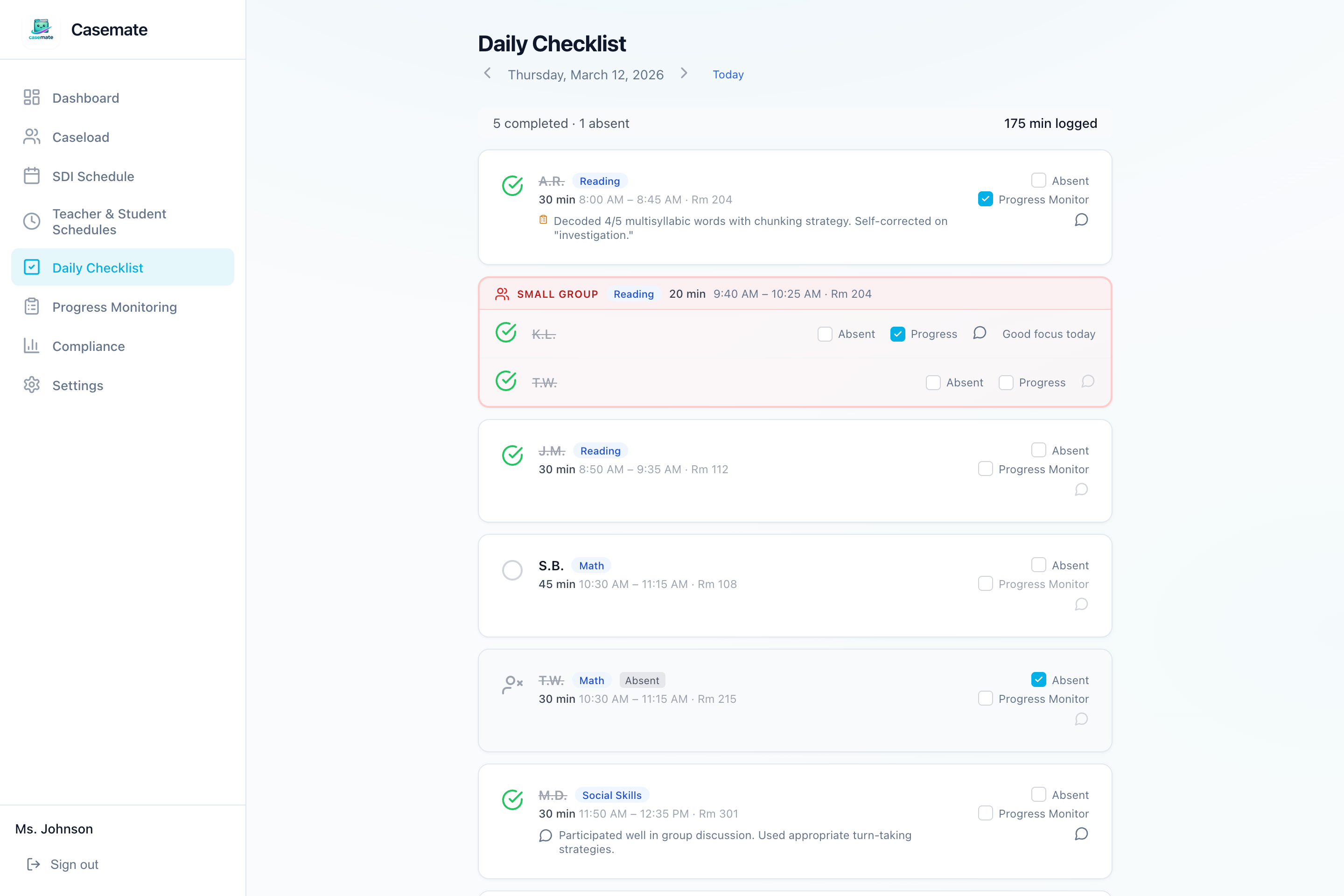
- Log the day services happen, not the week they happen. End-of-week reconstruction is how minutes end up living in your head. A daily checklist you can clear in under two minutes — done, absent, note — is the sustainable version.
- Log actual minutes, not scheduled minutes. If the fire drill cut the session to 18 minutes, the log says 18. Honest data is what makes the year defensible.
- Book a ten-minute Friday review. Total the week per student, compare to the target from Step 2, and schedule any owed makeup for the following week before it compounds.
If the habit survives to fall break, it will survive the year — the weeks that break systems are the first six.
One system, one place: the printable checklist
The whole setup, in order: compliance dates, service minutes, SDI schedule, session log habit. Each step feeds the next, and all four live in one place — so the one habit that maintains the system is the daily log, and everything above it stays current automatically.
The printable one-page version of this checklist is available at the top of this guide — every item from all four steps with check-off boxes, designed to be worked through in one or two August planning days. Enter your email and it lands in your inbox; print it, work down the page, and walk into day one with the year already standing.
If you would rather not maintain the one place by hand, this setup order is exactly the workflow IEP Casemate walks you through: enter students and services, and the minute targets, weekly schedule, daily checklist, and compliance totals are generated from the same source of truth. Either way — spreadsheet or software — the order and the single location are what keep the system alive past October.